

How WhatsApp Business Works: A Guide to Using Its Power
 BellyJoe
WhatsApp is a key tool for businesses today. This guide will show you how to use WhatsApp Business. You can grow your brand and build better customer bonds.
Introduction
WhatsApp is not just for personal chats anymore. It is now a powerful tool for professional work. Businesses of all sizes can use it.
The Evolution of WhatsApp: From Personal Chat to Business Tool
WhatsApp is a very popular messaging app. It has billions of users around the world. This makes it a great place for businesses to meet customers. Many companies now use messaging apps to talk with customers. This shows a move toward more personal and quicker communication. WhatsApp Business was made to meet this need.
Why WhatsApp Business? Understanding its Main Goal
WhatsApp Business is made for professionals and companies. It has tools that are not in the personal app. You get a business profile and automatic message options. It also has features to keep you organized. These tools help you look professional and save time. You can manage customer chats better than with a normal account.
What This Guide Will Cover
This guide gives you a clear plan for WhatsApp Business. We will show you how to set it up. We will also explore its main features. You will learn new ways to use it. Practical examples will help you master the platform.
Getting Started: Setting Up Your Account
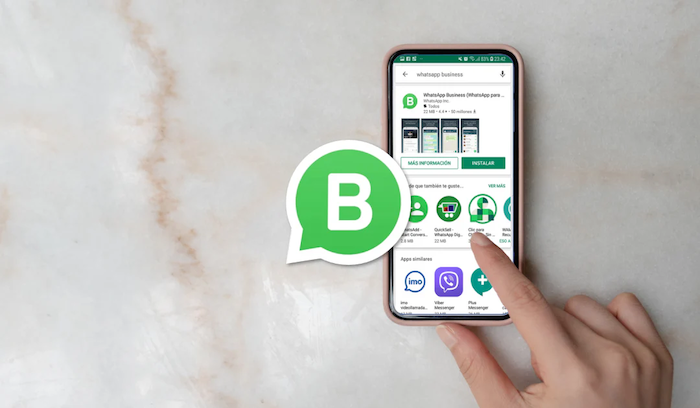
Setting up your account is the first step. It lets you start talking to customers professionally. The process is simple. It gives you immediate access to helpful business tools.
The Difference Between WhatsApp and WhatsApp Business
The two apps look similar. But WhatsApp Business has special features for work. It lets you make a detailed business profile. You can add your address, business hours, and website. It also has auto-messaging like away messages. These tools are key for professional work. They are not in the normal WhatsApp app.
Step-by-Step Setup Guide
First, download the WhatsApp Business app. You can get it from the Google Play Store or Apple App Store. The app is free to use. After you install it, agree to the terms. Then you can register your business phone number. You should use a phone number just for your business. WhatsApp will send a code to confirm you own the number. After that, you can start building your profile.
Creating Your Business Profile
A complete profile builds trust. It gives customers important information. You should start with your business name. Add a clear description of what you do. Choose the correct business category. Then add your contact details. This includes your email, website, and address. Finally, set your business hours. This tells customers when you can reply.
Core Features and How They Work
The main features help you organize your work. They also help you show what you sell. These tools help you talk to customers better.
Messaging Tools: Automating Your Communication
Automation is a key benefit of WhatsApp Business. Welcome messages greet new customers right away. This gives them a quick reply. It also makes a good first impression. Away messages tell customers you are not available. They say when you will reply. This manages expectations when you are not working. Quick replies are shortcuts for common answers. You can make templates for common questions. This saves time and keeps the answers the same.
Organizing and Talking to Your Contacts
Labels are a simple way to organize your contacts. You can sort customers with labels. Examples are "New Customer" or "Paid." This helps you track chats. It also helps you manage your sales. Broadcast lists let you send one message to many people. It is a great tool for news or sales. But customers only get the message if they saved your number.
Showing Products and Services: The Catalog Feature
The catalog feature turns your profile into a mobile shop. You can make a catalog in the app. It shows your products or services. Each item can have a name, price, description, and pictures. Customers can easily look at what you offer. They can ask about items in the chat. This makes selling much easier.
Basic Analytics and Information
WhatsApp Business gives you basic message data. You can see how many messages were sent. You can also see how many were delivered and read. This data shows you how customers interact with you. For example, many messages may be delivered but not read. You might need to change your messages. This information helps you see what works.
Advanced Ways to Use WhatsApp Business
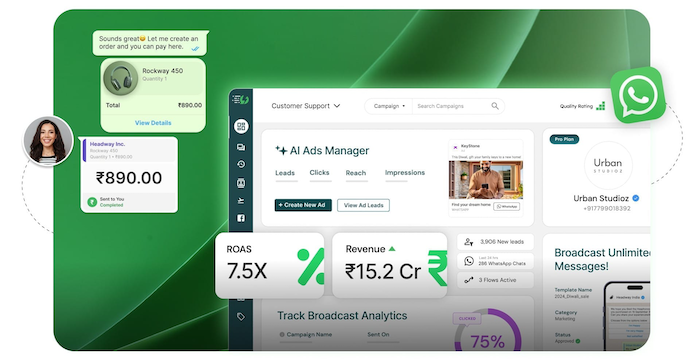
Once you know the basics, you can try new methods. This will help you get better results. These tips help you use the app in your daily work. You can also reach more customers.
Connecting with Your Business Tools
You should make it easy for customers to find you. Link your WhatsApp account to your website. Also, link it to your social media pages. You can add a click-to-chat link or a QR code. This opens a conversation with you. For more complex needs, you can use other tools. These tools connect WhatsApp to your other systems. They can connect to your sales or shopping platform. This makes your workflow better.
WhatsApp Business API: For Bigger Companies
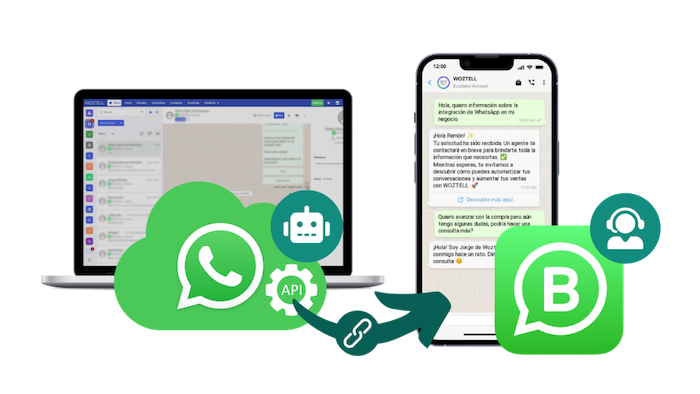
As your business grows, the standard app may not be enough. The WhatsApp Business API is for bigger companies. It helps manage many messages at once. The API connects well with your other business tools. It supports things like chatbots for 24/7 help. It also lets you get a green check mark. This makes your brand look more trustworthy. Platforms like Botcake use the API. They help businesses automate and grow their customer service.
Writing Good Business Messages
The words you use in your messages are important. Your communication should be professional but also friendly. Write clearly and keep it short. Avoid hard words and be helpful. Each message should have a clear call to action. Tell customers what you want them to do next. This could be visiting your website or making a purchase.
Giving Excellent Customer Service
WhatsApp Business is a great tool for customer support. You should give quick and personal replies. Use the app to answer questions. You can also fix problems and get feedback. When you handle complaints, stay professional. Good service on WhatsApp can make customers loyal.
Practical Uses and Real-Life Examples
Many types of businesses use WhatsApp Business. They use it to connect with their customers. These real examples show how useful the app can be.
Small Businesses and Startups
Local shops and new companies love the app’s simplicity. A local bakery can take daily orders. They can also confirm pickup times. A freelance designer can manage client work. For example, the flower shop Little Garden used a messaging tool. It helped with sales and customer talks automatically. This led to more sales. Customers could easily get info to make a purchase.
E-commerce and Retail
WhatsApp Business is perfect for online stores. You can send order confirmations and shipping updates. It is also a good way to offer support after a sale. The health store Kingsport used automated messages. They used them for sales and customer care. This helped them increase sales by 30%. The cosmetics brand iLaby also used it to connect with potential buyers. This helped them turn 40% of leads into customers.
Service-Based Businesses
Service businesses use the app to make client talks easier. A salon can book appointments. They can also send reminders. A consultant can manage client chats and schedule follow-ups. A beauty expert named LeVanAnh used a chat tool. It made booking appointments and talks much simpler. This automation saved time and made clients happier.
Educational Institutions
Schools and colleges also find the app useful. They can answer student questions about courses, enrollment, and entry requirements. They can also send important updates about deadlines. Even medical clinics benefit from automation. For example, USAC automated common patient-support questions. This reduced repetitive work for staff and helped them focus on more complex cases that required personal attention.
Best Practices for a Good Professional Experience
Following these tips will help you provide a good experience. You will seem professional and keep customer data safe. Being consistent and reliable is key. This helps you build strong relationships.
Keeping a Professional Tone
Your communication style should match your brand. Use clear, simple, and friendly words. Avoid using slang or too many emojis. This helps you maintain a professional look. Your goal is to be friendly. You should also be trustworthy in all your talks.
Data Privacy and Security
You must protect your customers' information. Always follow privacy rules. Be clear about how you use customer data. You should also understand and follow WhatsApp's Business Policy. This protects your business and your customers. It helps you keep using the app without problems.
Managing Expectations and When You Are Available
It is important to be clear about when you are free. Use your business profile to set clear hours. Use away messages to set response times. This builds trust with customers. It also prevents them from getting upset. Being open is always the best way.
Always Improving
Your business is always changing. Your profile should change too. Update your business info and catalog often. Check your results. Look at message data and customer comments. Use this info to change your plan. This will help you improve your service.
Conclusion
WhatsApp Business is more than just a messaging app. It is a great tool. It helps businesses build strong bonds with customers. It gives you tools to talk in a professional and quick way.
Set up a business profile. Use automation tools. Talk with your customers. This can help your business grow a lot. Companies of all sizes are finding success on the platform. The future of business talk is based on conversation. Messaging apps like WhatsApp are leading this change. As your business grows, you may need more power. The standard app might not be enough. Tools like Botcake use the WhatsApp Business API. They offer advanced automation and chatbots. This helps you handle more customer calls with ease.
Related blogs

How AI Changes Customer Experience: A Complete Guide

The Future of Event Engagement: Your Guide to Event Chatbots
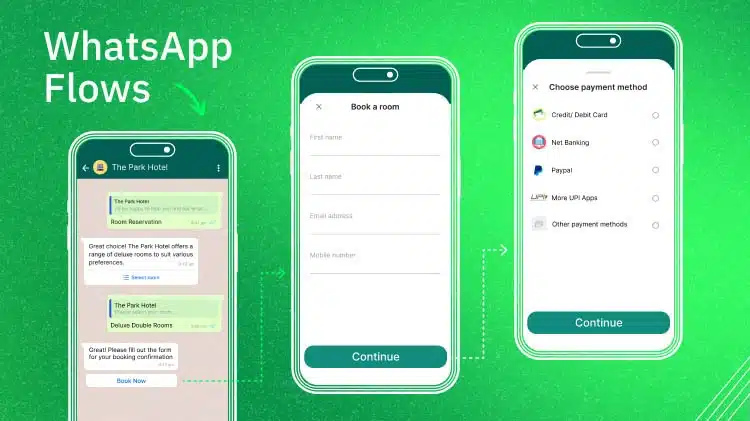
WhatsApp Flows: Revolutionizing Conversational Experiences on the World's Favorite Messaging App

Discover how your business can connect with customers 24/7 with Botcake
- Automate your customer messaging flow
- React thousands with bulk marketing message campaigns
- Blend AI power seamlessly with your customer service