

WhatsApp Business Multiple Users: A Simple Guide for Teams
 BellyJoe
When your business starts, using one phone for WhatsApp messages seems fine. But as you get more customers, that one phone becomes a big problem. Messages get missed. Customers have to wait a long time for a reply. And your team gets frustrated. This is because you are trying to use a tool made for one person for a whole team. This guide is here to solve that problem. We will show you how to set up WhatsApp Business multiple users. This will help your team work together better. It will also lead to faster replies and happier customers.
Understanding WhatsApp Business Multi-User Features
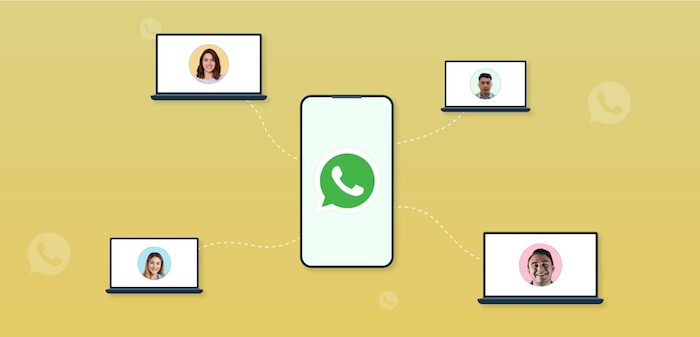
WhatsApp has two different ways for teams to work together. One is a simple option for small teams. The other is a powerful solution for growing businesses. It is essential to know the difference.
The WhatsApp Business App (for small teams)
The free WhatsApp Business app now has a feature called "Linked Devices." This feature lets you connect your WhatsApp account to four extra computers. This means you can have up to five people answering messages simultaneously.
This is a good solution for tiny teams. For example, a small shop with a few employees can use this to ensure someone is always available to answer chats. But it has its limits. You cannot see which team member sent which message. And you cannot use advanced tools like intelligent chatbots.
As a next step, businesses can upgrade to the WhatsApp Premium subscription. This package allows you to connect up to 10 devices, making it a better choice for slightly larger teams that need more people to handle customer conversations.
The WhatsApp Business API (for growing businesses)
The WhatsApp Business API is the real solution for multiple WhatsApp Business users. It is not an app. It is a powerful system that is built for teams. The API lets you connect your WhatsApp number to a special software called a shared team inbox.
With a shared inbox, an unlimited number of people can log in and answer chats. This is the professional way to manage customer conversations. It is perfect for businesses that are serious about sales and customer support.
Key Differences: App vs. API
So, when should you use the app and when should you use the API?
-
Choose the App if: You have a tiny team (2-5 people). You also only need basic chat features. And you have a small number of customer chats each day.
-
Choose the API if: Your team is growing. You want to give faster, better support. You also want to use innovative tools like chatbots. And you need to connect WhatsApp to your other business software. This is the path for businesses that want to scale.
Setting Up WhatsApp Business for Multiple Users
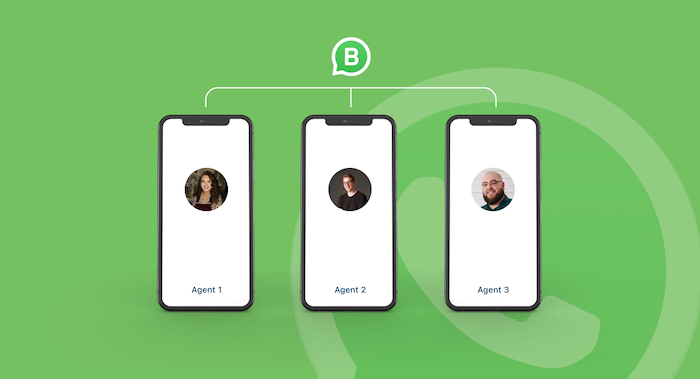
Getting your team set up is a simple process. The steps are different for the App and the API.
For Small Teams (Using the App's Linked Devices)
You can get started in just a few minutes if you have a small team.
-
Open WhatsApp Business on your primary phone. Go to the settings menu.
-
Find "Linked Devices." Tap on this option.
-
Link a new device. On your computer, go to web.whatsapp.com. A QR code will appear. Use your main phone to scan this QR code.
-
Repeat for your team. You can repeat this process for up to four other computers. Now, your team can answer chats from their own screens.
A good tip is to create some rules for your team. For example, decide who should answer which types of questions. This will help your team stay organized.
For Growing Businesses (Implementing the API)
If you are ready for the API, the process is a bit different. You will need a partner to help you.
-
Choose a WhatsApp Business Solution Provider (BSP). If you are ready for the API, the process is a bit different. You will need a partner to help you. Choose a WhatsApp Business Solution Provider (BSP). A BSP is an official Meta partner that gives you access to the API. It is very important to choose a good one. A top partner from the Pancake ecosystem will provide the right tools. You can use Pancake for a powerful and easy-to-use shared inbox, which lets your team manage messages from multiple agents on the same WhatsApp number. In addition, you can use Botcake to automate conversational messages, handle common questions, and qualify leads.
-
Get Your Business Approved. Your BSP will help you get your business account and phone number approved by Meta. This is usually a fast process.
-
Set Up Your Team Inbox. Once you are approved, you can log in to your BSP's software. Then, you can start adding your team members and giving them access to the shared inbox.
Optimizing Multi-User Collaboration on WhatsApp
Just giving your team access is not enough. You need to use the right tools and strategies to help them work together in the best way.
Use a Centralized Inbox
A shared or centralized inbox is the most important tool for teamwork. It means all customer chats go to one single place. From there, you can see all the conversations. To ensure the workload is balanced and conversations are handled efficiently, you can use features like conversation routing. This allows you to set up rules, such as a round-robin mode, that automatically assign new chats to the next available person on your team. This not only makes sure that every customer gets a fast reply and no one is forgotten, but it also helps distribute the messages evenly among employees, which improves the quality of each conversation.
Use Internal Notes for Teamwork
Sometimes, a team member needs help with a customer's question. Instead of shouting across the office, they can use internal notes. These are private messages that only your team can see. They are a great way to ask questions and share information about a customer without the customer seeing it.
Use Automation to Help Your Team
Automation can make your team's job much easier.
-
Chatbots: You can use a chatbot to handle the simple, common questions. The chatbot can act as a greeter. It can also answer questions like "What are your hours?" or "Where are you located?" This frees up your team to focus on the more important sales and support questions.
-
Quick Replies: You can create a list of saved answers for common questions. This helps your team reply faster. It also makes sure that every customer gets the same, correct information.
Using a platform with strong automation is key. For example, with Botcake AI, you can set up intelligent chatbots that handle common questions automatically. This frees up your team to focus on high-value sales conversations and complex customer support issues.
Track Your Team's Performance
To get better, you need to know how you are doing. A good API platform will give you reports. You can see how long it takes your team to reply. You can also see how many chats each person is handling. This data helps you find areas where your team can improve.
Advanced Strategies and Use Cases

When your team starts working together on WhatsApp, you can do some amazing things.
Connect WhatsApp to Your Sales Software (CRM)
You can connect your shared inbox to your CRM. This means that when a new customer chats with you, their information is automatically saved. Your team can also see the customer's past orders and conversations. This gives your team a full picture of the customer, so they can provide much better, more personal service.
Work Together on Marketing Campaigns
Your team can work together to run a marketing campaign. For example, your marketing team can send out a special offer using a broadcast message. Then, your sales team can use the shared inbox to reply to all the incoming questions. This kind of teamwork can lead to amazing results.
A case point: A makeup brand in Vietnam used this exact strategy. Their team used Botcake’s platform to send a broadcast for a big sale. Then, the sales team handled all the replies in the shared inbox. This helped them triple their business results. This shows how powerful it is when a team works together.
Provide Amazing Customer Support at Scale
With a multi-user setup, your support team can handle many more chats. You can set up rules so that new chats are automatically given to the next available person. This is very helpful during busy times.
Case in Point: The USAC Chiropractic Clinic needed to handle many patient questions, they used Botcake to A/B test their ads. By directing users to a WhatsApp chat managed by a multi-user team and an AI bot, they saw significant results. Compared to their usual ads, their cost per lead was 41% lower, and their total lead volume increased by 65%. This teamwork between advertising and an efficient, multi-user chat setup directly led to more, cheaper leads.
Best Practices for Success
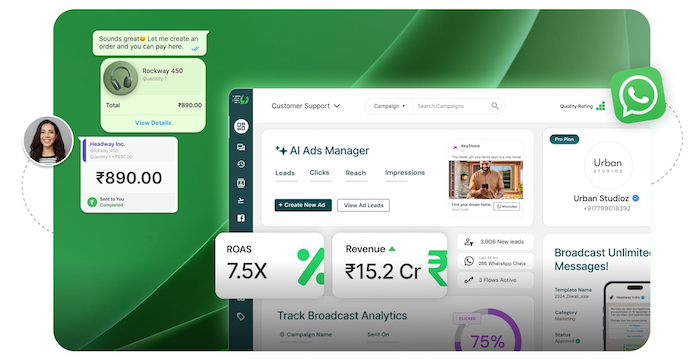
To make sure your multi-user setup works well, you should follow these simple best practices.
-
Have Clear Roles: Everyone on the team should know what their job is. For example, one person might handle sales questions, and another might handle support questions.
-
Keep Customer Data Safe: Make sure you have strong passwords. Also, only give team members access to the information they need to do their job.
-
Keep Learning: New features are added to WhatsApp all the time. So, it is a good idea to have regular training sessions to help your team learn the best new ways to work.
Conclusion
In the end, using WhatsApp Business for multiple users is essential for any growing business. It helps you answer customers faster, work together as a team, and provide a much better experience. For small teams, the "Linked Devices" feature is a good start. But for businesses that are serious about growth, the WhatsApp Business API is the only real choice. When you are ready to stop struggling with one phone and start working like a professional team, it is time to explore a powerful solution. A unified platform like Botcake can give you the shared inbox and automation tools you need to turn your customer chats into your biggest strength.
Related blogs

How AI Changes Customer Experience: A Complete Guide
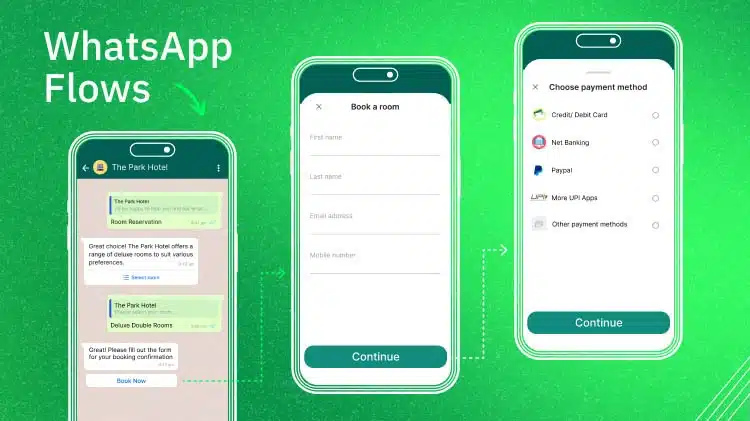
WhatsApp Flows: Revolutionizing Conversational Experiences on the World's Favorite Messaging App

The Future of Event Engagement: Your Guide to Event Chatbots

Discover how your business can connect with customers 24/7 with Botcake
- Automate your customer messaging flow
- React thousands with bulk marketing message campaigns
- Blend AI power seamlessly with your customer service