

How to Open a WhatsApp Business Account: A Step-by-Step Guide
 Madeline Talavera
Opening a WhatsApp Business account is a simple way to connect with your customers. It helps you build a professional presence on a platform they already use.
Introduction
WhatsApp Business is a powerful tool for companies of all sizes. It allows you to create a dedicated business profile. You can communicate more efficiently with your audience.
You should use WhatsApp Business because many people use it. It offers benefits over a personal account. You get a business profile, automated messages, and product catalogs. The platform is ideal for small businesses and freelancers. Larger companies can also use the WhatsApp Business API for more advanced features.
Pre-Setup Checklist and Considerations
Before you begin, it is important to prepare a few things. This preparation makes the setup process smooth and quick.
Dedicated Business Number
You need a dedicated phone number for your business account. This number separates your personal and work messages. This is better for organization and privacy. You can use a new SIM card. Or you can move your personal number to a business account. If you move your number, you cannot use it for a personal account at the same time. Virtual numbers and landlines are also great alternatives. A landline number can receive a verification call, so it works perfectly.
Understanding WhatsApp Business App vs. API
You have two main options: the free app or the API. The free WhatsApp Business app is perfect for small businesses. It helps you manage your own customer chats. It includes helpful tools to get you started. The WhatsApp Business API is for larger companies that need more power. The API connects to other software. You can use chatbots and handle many messages. It also works with customer management systems. This allows for better teamwork and automatic replies.
Gather Your Business Information
You should collect all your business details before you start. This makes the profile setup faster. You will need a clear business name. You also need a short description of what you do. You also need to choose a business category that fits your services. You need a physical address if you have a storefront. Make sure your website and email address are correct. Finally, decide on your business hours. This lets customers know when you are available.
Step-by-Step Guide to Opening Your WhatsApp Business Account
Now you are ready to create your account. This section gives you a clear guide. It will help you get started easily.
Downloading and Installing the App
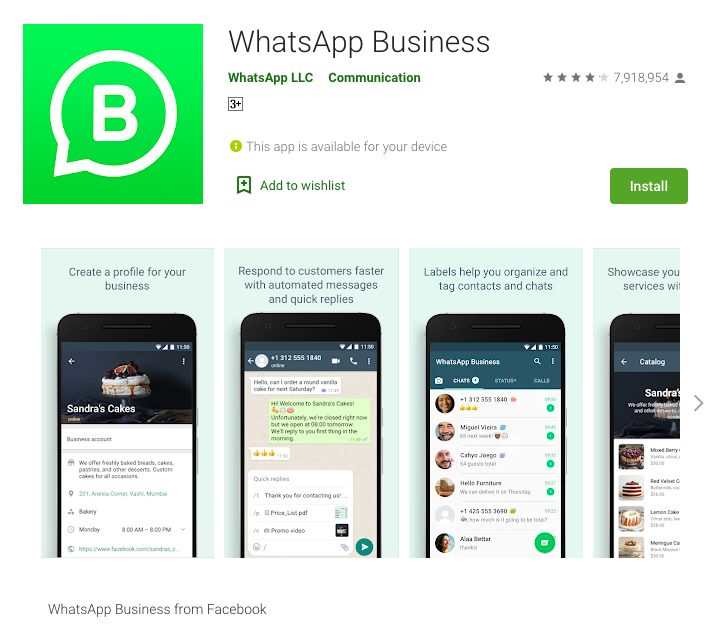
First, you need to download the correct app. Go to the Google Play Store for Android devices. Or go to the App Store for iOS devices. Search for "WhatsApp Business". Be sure to select the app with the "B" logo. The regular WhatsApp app will not have the business features you need. Install the app on your smartphone.
Registering Your Business Number
Once the app is installed, open it. You need to agree to the terms of service. The app will then ask for your business phone number. Enter the number you prepared earlier. WhatsApp will send a verification code by SMS to that number. Enter the six-digit code to verify your ownership.
If you have trouble with the SMS, you can request a verification call instead. Are you using a number with a personal account? The app will ask if you want to move your chats. You can move them to the new business account.
Crafting Your Business Profile
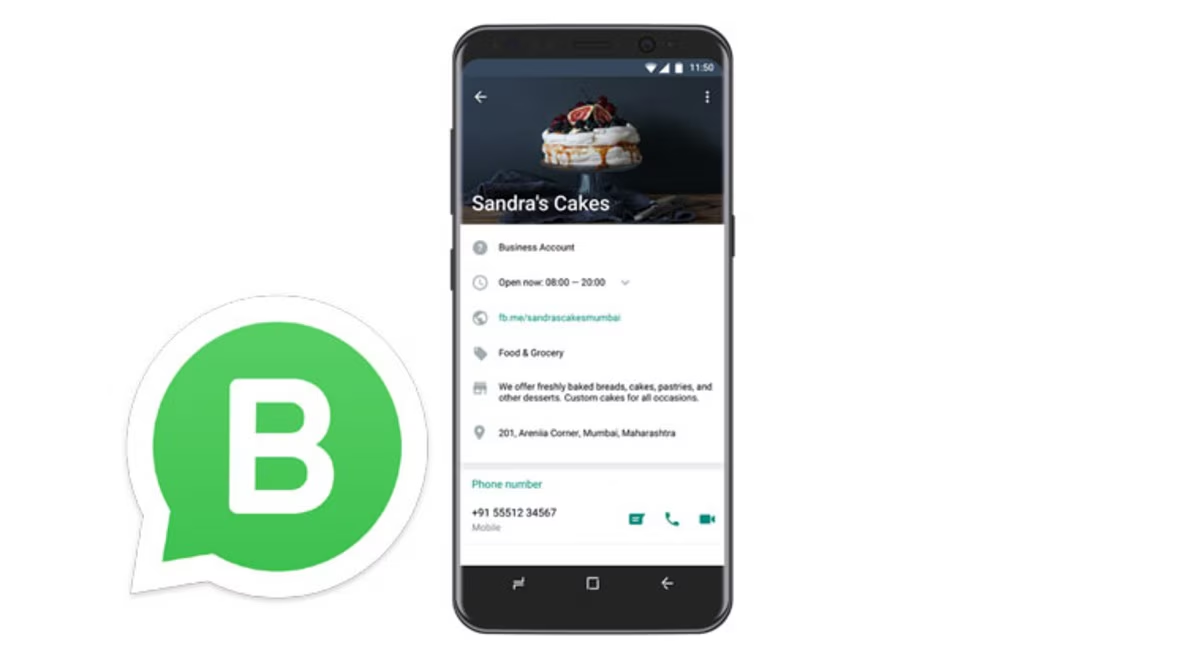
A complete profile builds trust with customers. Start by uploading a professional profile picture. This can be your company logo. It can also be a clear headshot if you are a freelancer. Next, enter your business name. Your business name cannot be changed easily after it is set. So, you should double-check it. Write a good business description. Explain what your business offers.
Then, you need to pick the best business category. This helps customers understand your industry at a glance. Add your contact details. Include your email, website, and physical address if you have one. This information makes it easy for customers to find and contact you. Finally, set your business hours. This feature lets people know when they can expect a response from you.
Exploring Initial Messaging Tools
WhatsApp Business offers messaging tools to help you save time. A greeting message is a great place to start. This is an automatic message sent to new customers. It makes them feel welcomed and heard. You can also create an away message. This message automatically replies to customers outside of business hours. It manages expectations. It also shows you value their message.
Quick replies are another useful feature. These are saved responses for common questions. You can create quick replies for questions about prices or services. This saves you from typing the same answer again and again. It also makes your responses the same every time.
Essential Features to Optimize Your New Account
After you set up your account, you can explore more features. These tools help you manage customer chats. They also showcase your products well.
Creating and Managing Your Product Catalog
The product catalog is like a mobile store for your business. You can add your products or services directly to the app. Each item can have a name, price, description, and pictures. This allows customers to browse what you offer. They can do this without leaving the chat. For example, a retailer like iLaby uses its catalog. It displays clothes products. This makes it simple for customers to see details. They can also make buying decisions.
Organize your catalog with clear titles and descriptions. This makes it easy for customers to look around. You can also share specific items from your catalog in a chat. This is useful when a customer asks about a certain product.
Organizing Your Contacts with Labels
Labels help you organize and manage your customer chats. You can create different labels with custom names and colors. For instance, you can group contacts. Use labels like "New Lead" or "Pending Payment." This system helps you track each customer's journey. It also helps you focus on important conversations.
A business like ILA could use labels to manage leads and students. For example, they might tag chats as “New Inquiry,” “Trial Booked,” or “Enrolled.” This helps their team track each student’s learning stage and follow up efficiently. By using labels, ILA can send personalized updates to parents or students and improve the Click-to-Message Lead Optimization process — ensuring that every inquiry gets the right attention at the right time.
Utilizing Broadcast Lists for Targeted Communication
Broadcast lists let you send one message to many contacts at once. It is different from a group chat. People receive the message as a private chat. This is perfect for sharing updates, promotions, or newsletters. However, there is a limitation. People must save your number in their contacts. Then they can receive your broadcast messages.
When using broadcast lists, make sure your messages are valuable. Avoid sending too many messages. This can feel like spam. Make the content personal when you can. This will make your messages better.
Basic Analytics and Insights
WhatsApp Business gives you basic numbers. They help you understand how your messages are doing. You can find these numbers in the settings menu. Look under "Business tools." The statistics show you the number of messages sent and delivered.
They also show how many were read and received. This data helps you see how engaged your customers are. These numbers are simple. But they are a good start. They help you measure your messaging work.
Best Practices for Your Professional WhatsApp Presence
A professional presence on WhatsApp builds trust. It also encourages sales. You should follow some best practices. This makes sure your messages are good and respectful.
Maintaining a Professional Tone
Your messages should always be clear, short, and polite. Address your customers respectfully. Answer their questions directly. WhatsApp is a casual platform. But it is best to avoid too much slang or emojis for business. A professional tone helps build trust. It makes your business seem more dependable.
Timely and Responsive Communication

Customers expect quick replies on messaging apps. Timely communication shows you value their business. Try to answer questions as quickly as possible. Do this during your business hours. Many successful businesses like Kingsport know fast responses are important. They use messaging apps to give better advice.
They also find new customers. They are available when customers need help. If you cannot reply right away, use an away message. Let customers know when you will get back to them.
Regularly Update Your Profile and Catalog
Keep your business information current. If your hours or website change, update your profile. Make sure to change your WhatsApp profile right away. Regularly update your product catalog as well. Add new products or services when they are available. Remove items that you no longer offer.
An up-to-date profile and catalog give customers a better experience. Companies like Sinh Duoc Corp offer natural products. They can attract more customers. They do this by keeping their catalog fresh. They add new items and seasonal offers.https://botcake.io/resources/case-studies/sinhduoc-corp
Data Privacy and Security
You must protect your customers' information. Never share their personal details without their consent. Be mindful of the data you collect. You should also store it securely. It is also important to follow WhatsApp's rules.
This includes their terms of service and commerce policy. Following these rules helps you avoid getting your account blocked. It protects both your business and your customers.
Common Issues and Troubleshooting
Sometimes you might run into issues with your account. This section covers common problems and how to solve them.
Verification Problems
Verification can fail for a few common reasons. You might have a poor internet connection. You may have entered the wrong phone number. Double-check the number. Make sure your connection is stable.
If you do not get the SMS code, wait for the timer to run out. Then request a new one or choose the "Call me" option. Make sure you do not have any call-blocking settings turned on.
App Not Functioning Correctly
If the app is not working right, you can try some fixes. First, try restarting your phone. If that does not work, try clearing the app's cache. You can find this in your phone's settings. As a last resort, you can uninstall and reinstall the app. If the problem is still there, it might be a bigger issue. You should contact WhatsApp support for help.
Conclusion
Setting up a WhatsApp Business account is a smart move. It helps you show a professional image. You can build customer trust. You can also improve how you connect with them. This platform is a key tool for modern business. It connects you directly with your customers.
As your business grows, managing many conversations can be a challenge. You may need better tools. These tools can handle customer questions well. Platforms like Botcake help businesses send automatic replies. They also help manage many chats at once. This improves your customer service.
Related blogs

How AI Changes Customer Experience: A Complete Guide
WhatsApp Flows: Revolutionizing Conversational Experiences on the World's Favorite Messaging App

The Future of Event Engagement: Your Guide to Event Chatbots

Discover how your business can connect with customers 24/7 with Botcake
- Automate your customer messaging flow
- React thousands with bulk marketing message campaigns
- Blend AI power seamlessly with your customer service