
WhatsApp Interactive Messages: Revolutionizing Customer Conversations
 BellyJoe
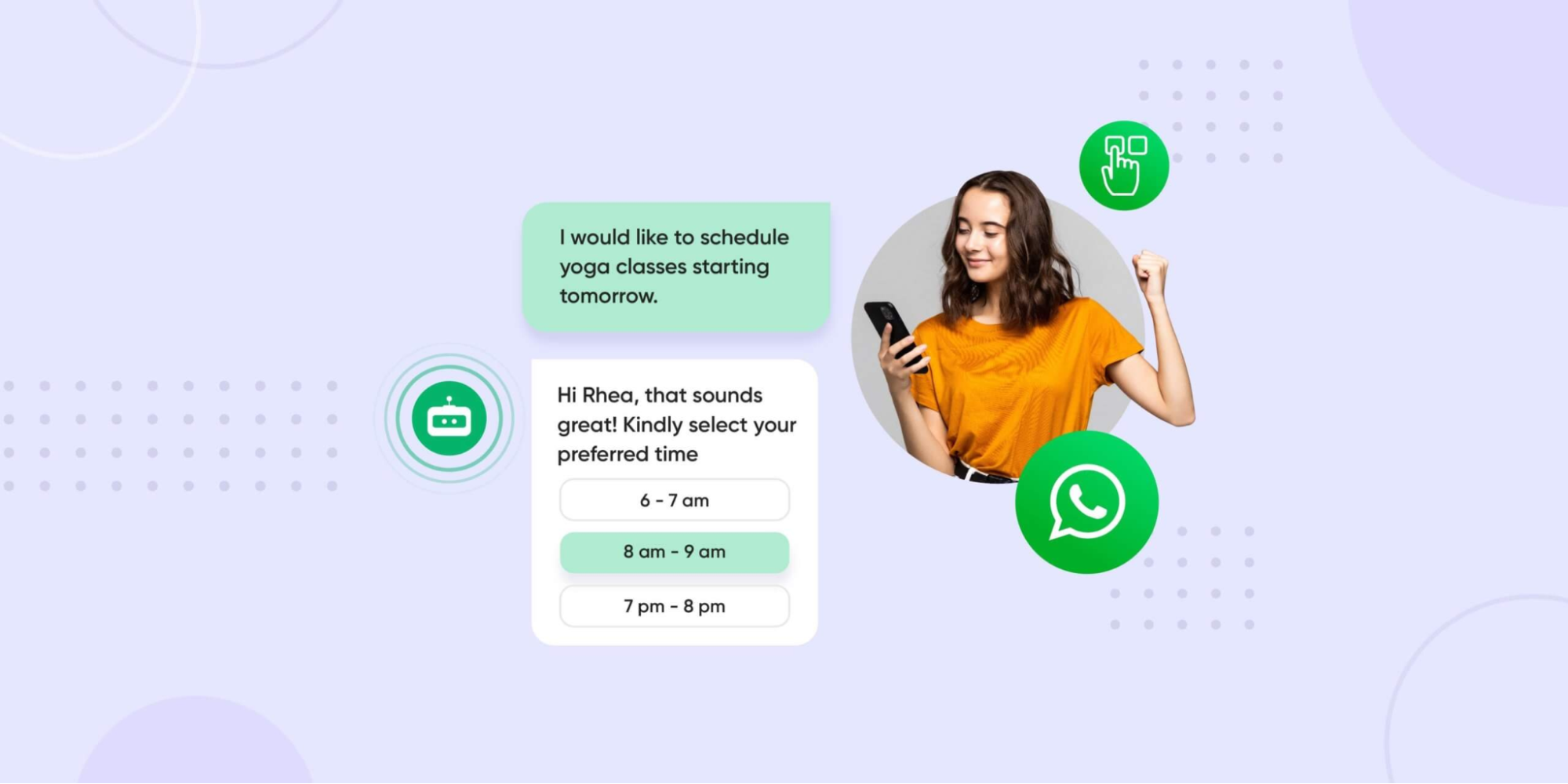
Businesses that use WhatsApp interactive messages can connect with customers more easily and give them smoother experiences. With features like quick replies and product cards, conversations become simpler and more effective. Let’s see how Botcake can help you get the best results.
Introduction
Business messaging is shifting from plain text to more interactive chats. With WhatsApp Interactive Messages such as buttons, lists, quick replies, and product cards, businesses can talk to customers more easily, provide faster support, and boost conversions.
Understanding the Types of Interactive Messages
WhatsApp gives businesses different types of interactive messages that make customer engagement easier and improve communication. Here’s a simple breakdown:
Call-to-Action (CTA) Buttons
These buttons let you give a direct prompt to the user so they can take an action immediately. WhatsApp’s documentation calls these “interactive messages,” which let users choose from buttons instead of typing free text.
Definition & Use Cases
A CTA button is a clickable button inside a message that tells the user what to do next. Common examples are “Visit Website,” “Call Us,” or “Book Now.” Using CTA buttons, you guide users straight to a website page, phone call, or landing page without them having to type anything.
Benefits
-
Clear next steps: Users don’t have to guess what to do; the button shows the action clearly.
-
Immediate action: Because the button is right there, people can tap right away - making conversions more likely.
Quick Reply Buttons
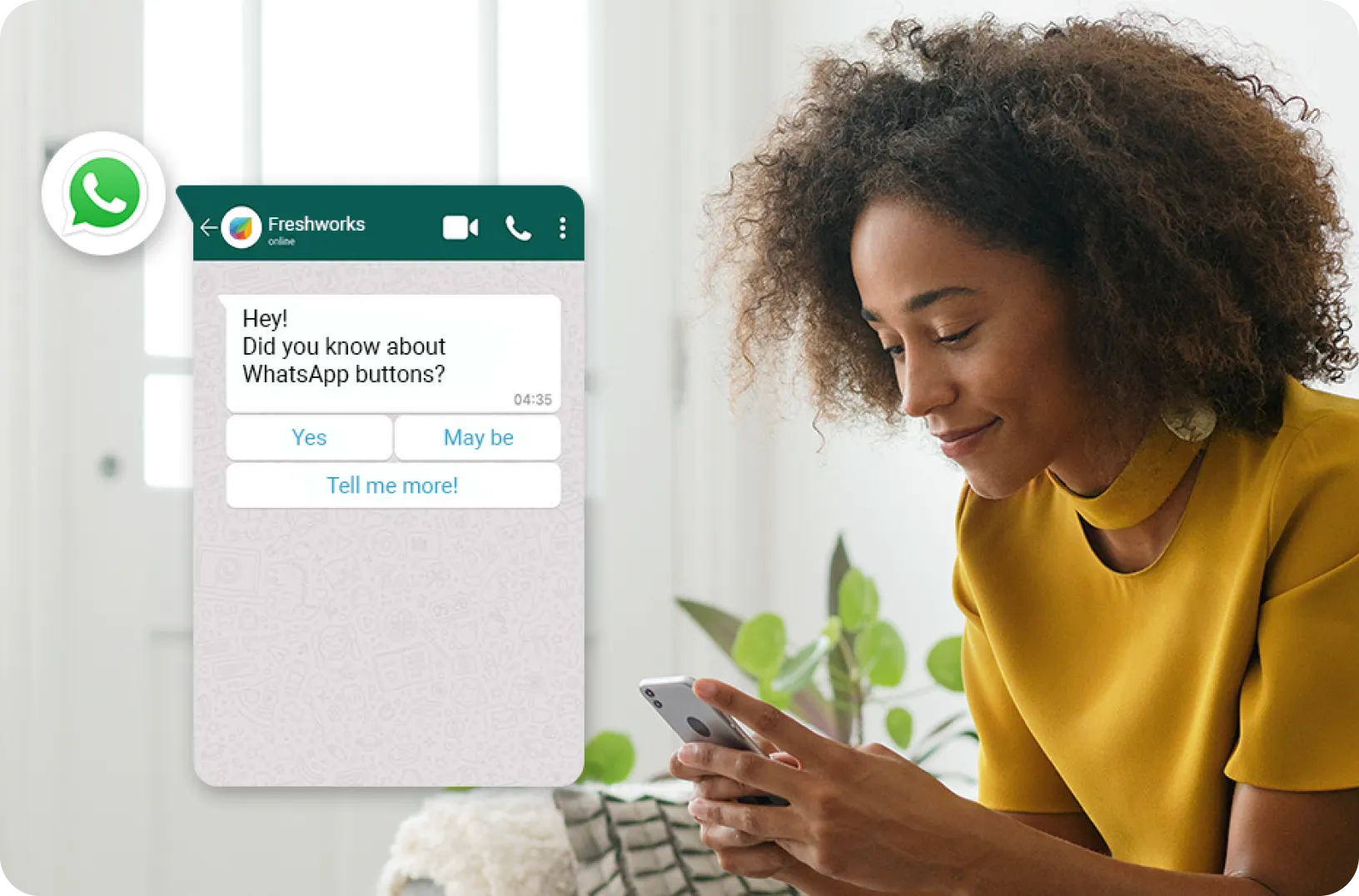
Quick reply buttons are perfect when you need short answers like yes/no or a quick choice.
Definition & Use Cases
Quick reply buttons show up to three predefined options like “Yes,” “No,” and “More Info.” This is especially useful in follow-ups, confirmations, or decision points in a flow (e.g., “Do you want a quote?”). Botcake’s AI-powered messaging can supercharge your chat without any headcount. An AI agent from Botcake can automatically reply to new messages 24/7 and support high chat volume effectively.
Benefits
-
Simplified responses: Users can tap an option rather than typing, reducing friction.
-
Guided conversations: Because you control the options, you can steer the flow into the paths you want.
List Messages
List messages let you offer a menu of multiple options in one message in a structured way. List messages allow up to 10 options and improve clarity over “type in a number” style menus.
Definition & Use Cases
A list message can present a selection of items - like a menu - that the user scrolls or taps from. For example, a list of services, product categories, or frequently asked topics.
Benefits
-
Organized information: You don’t have to cram many options into a normal message.
-
Easy selection: The user sees a menu and picks an option that fits, avoiding confusion or mis-typing.
Product Messages (Single and Multi-Product)
These messages bring your product catalog right into the chat, making shopping easier and more direct.
Definition & Use Cases
Product messages show one or multiple product cards inside the chat (image, name, price, etc.). The user can click to see details or buy from there. You might use a single product message to highlight a promotion, or a multi-product message to let users browse several items.
Benefits
-
Enhanced shopping experience: The customer can view product info without leaving WhatsApp.
-
Direct purchasing paths: You reduce the steps between interest and purchase, potentially increasing conversions.
Benefits of Implementing WhatsApp Interactive Messages
When a business integrates WhatsApp interactive message features, the gains go beyond aesthetics. Here are the key benefits, explained in practical terms.
Enhanced User Experience (UX)

Because users only need to tap buttons instead of typing, there are fewer mistakes, less confusion, and less hesitation. This smoother flow keeps people from dropping off, as they feel guided through clear options instead of having to think about what to type. Overall, the experience feels more natural and less robotic.
Increased Engagement and Response Rates
When it's just a matter of a click to respond, more people are enticed to participate. And when they have participated, they will be more inclined to click links, buy, or register, as it does not seem complicated or hard to do.
Streamlined Customer Support and Sales
Common questions can be handled through interactive flows, like FAQs with buttons or topic lists, instead of waiting for an agent to reply. You can also create flows that ask basic questions, such as “Are you a new or returning customer?”, and then automatically direct or pass the lead to the right place.
Improved Data and Analytics
Since every choice comes from a button or a list, your system can clearly track what users click. Over time, this reveals useful patterns, such as which options are most popular, where customers stop, and which flows perform best. With these insights, you can keep improving your messages.
Reduced Agent Workload
Many common customer requests, like checking an order, learning about the return policy, or finding store hours, can be handled through interactive flows instead of live agents. Since these simple tasks are handled automatically, your employees can spend more time on complex issues that truly need personal care.
How to Implement WhatsApp Interactive Messages

Setting up WhatsApp interactive messages takes a few steps to ensure smooth communication with customers.
Requirements: WhatsApp Business API
To send interactive messages, businesses need the WhatsApp Business API. This enables you to add buttons, lists, or product cards so that conversations are more interactive and tailored. It also helps you automate responses and reach more consumers. Starting is straightforward - you just sign up on Meta's Business Manager, verify your business, and tie up with a Business Solution Provider (BSP) like Botcake. In doing so, you stay compliant and also get access to more sophisticated features.
Designing Your Interactive Flows
Message flows are essential because they guide customers step by step through a conversation. With Botcake AI, businesses can easily create these flows using a simple drag-and-drop interface that’s visually clear and easy to use, and no coding is needed. Start by mapping common customer journeys, then build flows that match their needs and offer clear choices. Keep messages short, use plain language, and make each step easy to follow for a smoother customer experience.
Technical Implementation Steps (Overview)
To run interactive messages, you need to connect them with your systems. A BSP like Botcake can link the API with your CRM, letting you send and track automated messages. Syncing with your CRM also allows personalized conversations that feel smoother and more engaging.
Testing and Iteration
Before launch, test all buttons, lists, and links to ensure they work and look right. After going live, track performance - like response and conversion rates - and adjust regularly to improve results.
Best Practices for Crafting Effective Interactive Messages
To get the most out of interactive messages, businesses should follow best practices that make the experience easy and engaging for customers.
Keep it Concise and Clear
Good communication is straightforward. Use simple words that everyone can understand, and avoid technical terms that could cause confusion. Calls to action should also be clear and direct, with guiding phrases like “Shop Now” or “Learn More.”
Offer Relevant Choices
When giving options, make sure they match what the customer wants or what they’ve asked about before. Keep the list short and easy to follow, because too many choices can overwhelm people and make it harder for them to decide.
Personalize When Possible
Adding a personal touch makes the experience feel more human. Use customer details, like their name or past preferences, to shape your messages so they feel relevant. At the same time, write in a friendly and natural tone, not robotic or too formal.
Provide an Opt-Out or "Speak to Human" Option
Customers should always feel they have control. Give them a simple way to stop automated replies or ask for a human representative. Make sure it’s clear how they can connect with a real person if they need more detailed help.
Analyze Performance and Optimize
Finally, keep an eye on how your interactive messages are doing. Monitor click-through rates and track customers' paths through the steps to conversion - this will help you determine what works and what doesn't. A/B testing different messages - wording, layout, options - is also incredibly useful, and informs you about your audience and how to best convey your message.
Use Cases for WhatsApp Interactive Messages
WhatsApp's interactive messaging capabilities offer businesses a versatile toolset to enhance customer engagement across various functions.
Customer Support
Interactive messages greatly improve customer support. With quick buttons like “Check Order Status” or “Return Policy,” customers get answers instantly without waiting for an agent. They can also book or change appointments easily, leading to higher satisfaction.
Sales and Marketing
Businesses can leverage interactive messages to drive sales and marketing efforts effectively.
-
Product Inquiries and Recommendations: Show options or suggestions so customers can decide faster.
-
Lead Qualification and Nurturing: Use simple questions and info to qualify leads and guide them toward a purchase.
-
Promotions and Special Offers: Share deals or discounts to drive engagement and sales.
Notifications and Alerts
Interactive messages serve as an efficient channel for delivering timely notifications and alerts.
-
Order Confirmations and Shipping Updates: Keep customers informed and build trust.
-
Payment Reminders: Ensure customers act on time with quick reminders.
Surveys and Feedback Collection
Interactive messages make it easier for customers to offer their views. Following a chat, businesses can deliver a short survey or simply request some feedback on a product. Those tiny pieces of information build over time and inform wise decisions while keeping the customer at the forefront.
The Future of Interactive Messaging on WhatsApp

As technology keeps moving ahead, WhatsApp’s interactive messaging is also evolving, changing the way businesses connect with their customers.
Emerging Features and Trends
Businesses will have the opportunity to share updates more dynamically and interactively with videos and interactive carousels. Meanwhile, smarter AI will also allow for more human-like conversations, which will provide a more personalized and in-depth response for the customer.
The Role of AI in Enhancing Interactive Flows
Of course, AI will provide multi-channel communications through focused, relevant messaging tailored to customer preferences and actions in real time. Additionally, it will refine predicted responses, which means WhatsApp will be able to anticipate consumer needs and offer proactive support. Botcake.io is proud to be one of the leading tools in this innovation trend.
Conclusion
Interactive messaging is just the beginning of a bigger change in how businesses and customers connect. As richer media formats and AI-powered conversations become available, WhatsApp is moving beyond simple messaging and turning into a platform that delivers complete experiences. Companies that start using interactive tools now, especially with the support of solutions like Botcake, will not only boost engagement today but also be better prepared for the future as customer expectations keep growing.
Blogs relacionados

LINE Chatbot: Guide to Business Automation in Asia 2026

How AI Changes Customer Experience: A Complete Guide
WhatsApp Flows: Revolutionizing Conversational Experiences on the World's Favorite Messaging App

Descubra como sua empresa pode se conectar com clientes 24/7 usando o Botcake
- Automatize o fluxo de mensagens com seus clientes
- Alcance milhares com campanhas de mensagens em massa
- Integre o poder da IA ao seu atendimento ao cliente de forma fluida