
WhatsApp Business Features: A Guide to Grow Your Sales
 Aves Warren
WhatsApp Business Features: Grow & Manage Customer Chats
Here's a simple fact that changes everything: over 83% of WhatsApp users open the app every day. But many businesses only use it for basic chat. They are missing out on features that could help them make more sales. This guide will fix that. We'll show you all the best WhatsApp Business features. You'll learn how to turn simple chats into a tool that makes you money.
Introduction
Are you tired of manually answering the same questions over and over on WhatsApp? Are you worried that leads are slipping through the cracks? The problem isn't WhatsApp; it's that you're not using the features designed to solve exactly that.
What is WhatsApp Business?
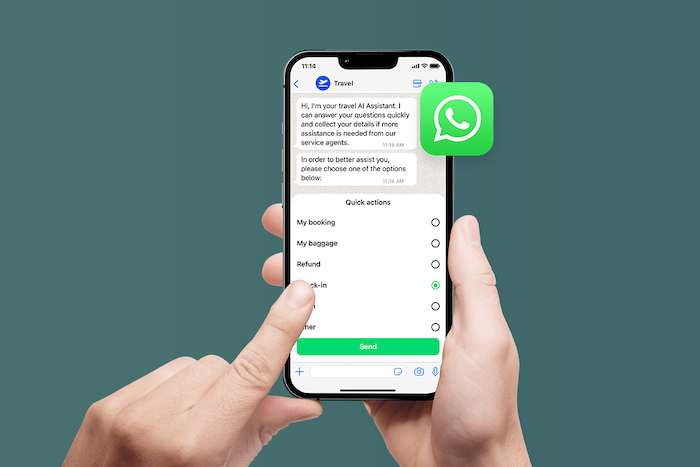
WhatsApp Business is a free app designed for small business owners. It works just like the regular WhatsApp you use with friends. But it has special tools to help you talk to customers in a more professional way.
Who should use WhatsApp Business?
This tool is great for small to medium-sized businesses (SMBs), solo entrepreneurs, and local service providers. It's also perfect for people who work for themselves. If you own a bakery, a salon, or an online store, WhatsApp Business is made for you.
Why WhatsApp Business is more than just messaging
It's not just a chat app. It's a full toolkit for talking to customers. You can show off your products and answer questions instantly. You can also keep all your customer chats organized. It turns your WhatsApp into a small online store and a great support channel.
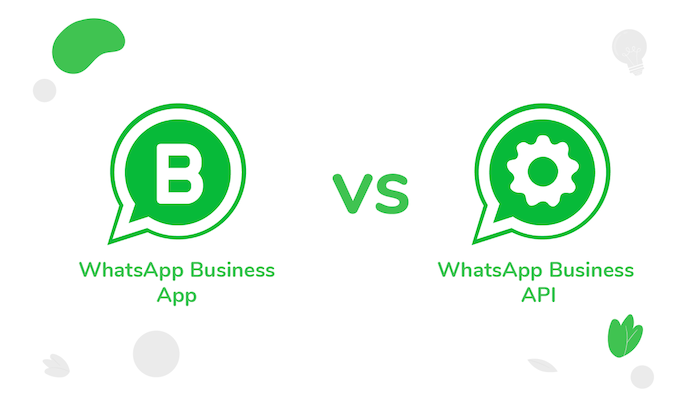
WhatsApp Business App vs. WhatsApp Business API
It's crucial to understand the two versions of WhatsApp Business. They are built for different business sizes and have very different capabilities.
Key differences in features, scale, and use cases
The free WhatsApp Business App is for one person on one phone. It's good for managing a small number of chats. The WhatsApp Business API is the powerful version for bigger teams. It's not an app. It's a system that connects to your software. It allows many users and smart chatbots.
Which one should you choose?
If you're just starting, use the free app. But what if your team is growing? Or you want to send automatic updates? Then it's time for the API. The API is for businesses that want to handle many customer chats at once.
Core Features of WhatsApp Business App
The free app comes with a set of powerful tools to help you get started.
-
Business Profile: Set up a professional page. Add your business name, logo, hours, and website.
-
Messaging Tools: Reply faster with saved messages. You can set up Quick Replies for common questions, a Greeting Message for new customers, and an Away Message for when you're busy. Learn more at botcake.io/integrations/whatsapp.
-
Chat Organization: Use Labels to keep your chats organized. You can make labels like "New Customer" or "Order Complete."
-
Engagement Features: Show your products in a Catalog. Create special links and QR codes so people can easily start a chat with you.
Advanced Features in WhatsApp Business API
When you're ready to scale, the API unlocks a whole new level of WhatsApp Business features.
Messaging: Send pre-approved Message Templates for promotions and alerts. Engage in free-flowing Session Messaging when a customer replies. And create app-like experiences with Rich Interactive Messages like buttons and lists.
Automation: Deploy smart Chatbots to handle questions 24/7 and build complex Workflow Automation to guide customers from interest to purchase.
Team & Integration: Manage all conversations in a Multi-Agent Inbox for your entire team. Connect WhatsApp to your CRM/Helpdesk and use Webhooks/API Access for custom integrations.
Analytics & Reporting: Get detailed data on your campaigns to see what's working and what's not.
WhatsApp Business Features by Use Case
Different features are useful for different business goals. Here’s how you can use them to improve every part of your business, backed by real results.
Sales & Lead Generation
This is where the API truly shines. You can run Click-to-WhatsApp ads that bring prospects directly into a chat. From there, an AI-powered chatbot can ask qualifying questions, collect their contact info, and push it to your CRM. You can share product catalogs and answer questions instantly to guide buyers through the sales funnel.
Businesses using Botcake's AI lead qualification flows have generated 60% more leads from WhatsApp and achieved a 4.49x return on media spend. Gangwhoo Hospital saw a 1.9x conversion rate from messages to purchases.
Support & Customer Service:
Use automation to handle the basics. An AI chatbot can provide instant answers to frequently asked questions ("What are your hours?", "Where is my order?") 24/7. For more complex issues, the chat can be automatically routed to the right human agent, who has the full conversation history for context. This leads to faster resolutions and happier customers.
Marketing & Re-engagement
The API is a marketing powerhouse. You can send personalized coupons and track redemptions in real-time. Build a subscriber base by letting users opt-in to receive updates, then send them targeted broadcast messages about new products or flash sales. This is far more effective than email.
Brands using Botcake have seen a 70% coupon conversion rate on WhatsApp and have reached over 76 million users through their Click-to-WhatsApp campaigns, leading to significant lifts in brand awareness.
Operations & Logistics
Automate the entire post-purchase experience. Use API features to send instant order confirmations, shipping notifications with tracking links, and delivery updates. For service businesses, you can automate appointment bookings and send reminders to drastically reduce no-shows.
Feedback & Surveys
After a purchase is complete or a support ticket is closed, you can automatically send a message asking for a quick rating or a link to a more detailed survey. This makes collecting valuable customer feedback effortless and helps you continuously improve your service.
For more detailed strategies on how to apply these features, check out the use cases at botcake.io/use-cases/whatsapp
Best Practices for Using WhatsApp Business Features
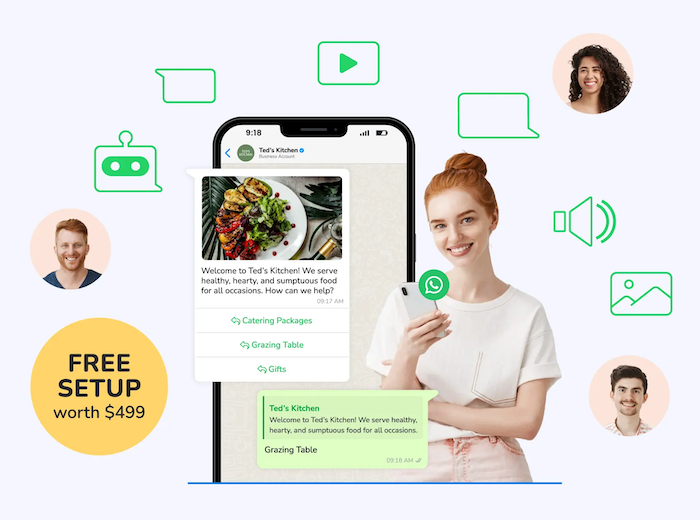
Having great tools is one thing; using them well is another. Follow these best practices to keep your customers happy.
Personalize every interaction. Use the customer's name and reference their order to make the chat feel personal, not robotic.
Keep messages short, visual, and actionable. People scan messages on their phones. Get to the point quickly, use images or videos, and tell them exactly what to do next.
Use labels and quick replies to save time. These simple features on the free app can save you hours every week. Organize your chats and create shortcuts for your most common replies.
Respect the 24-hour reply window (especially on API). When a customer messages you, you have 24 hours to reply freely. After that, you can only use a pre-approved template. Fast replies are essential.
Ensure compliance with opt-ins and message templates. Always get permission before sending promotional messages. This is the most important rule to avoid getting your account blocked.
Tools That Enhance WhatsApp Business Features

While the native features are great, third-party platforms unlock the true power of the WhatsApp API. Here are some popular options:
WATI: Focuses on building automated workflows and integrating with CRMs.
Interakt: Specializes in ecommerce automation and syncing your product catalog.
Zoko: Known for its in-chat checkout features and customer segmentation.
Gupshup & Twilio: Powerful, developer-focused solutions for custom builds.
However, it's crucial to choose a top-tier partner with a strategic advantage. Botcake.io is one of the first to connect with both the WhatsApp Business API and the Meta Conversions API. This unique position gives businesses a significant edge in tracking ad performance and automating conversations seamlessly. To learn more about this integrated solution, visit https://botcake.io/
Limitations & Things to Know
Before you go all-in, it's important to understand a few key limitations.
The free WhatsApp Business App only works for one person on one device. You can't have a team using it at the same time.
The API requires approval from Meta, and you must use a Business Solution Provider (BSP) to access it.
With the API, all proactive messages must be pre-approved templates.
There is no built-in CRM. You need to integrate with one to store customer data long-term. Botcake solves this by syncing data directly to Pancake CRM or providing an Open API to connect to any other system.
Conclusion
WhatsApp Business provides a powerful set of features to help you connect with customers, whether you're just starting out or ready to scale. The key is to start with the free app to learn the ropes, and then upgrade to the API when you're ready to automate and grow. The first step is to look at your business needs and choose the right features to focus on today. To unlock advanced automation and team features with the API, working with a Business Solution Provider like Botcake can simplify the process and provide the tools you need to succeed.
Related blogs

How AI Changes Customer Experience: A Complete Guide
WhatsApp Flows: Revolutionizing Conversational Experiences on the World's Favorite Messaging App

The Future of Event Engagement: Your Guide to Event Chatbots

Discover how your business can connect with customers 24/7 with Botcake
- Automate your customer messaging flow
- React thousands with bulk marketing message campaigns
- Blend AI power seamlessly with your customer service