

How to Safely and Effectively Share Your Instagram Account
 Duhapa Dennis
“How to share an Instagram account with someone” is a challenge many encounter. Proper guidance helps teams, agencies, and individuals collaborate efficiently while ensuring account security, control, and smooth social media operations.
Introduction
The Growing Need for Account Sharing
These days, sharing Instagram access has become a normal part of how many businesses operate. Teams need to post content, respond to customers, and manage ads together. For marketing agencies, creators, and support teams, having simple and secure ways to collaborate makes a huge difference.
It’s not just businesses, too. Many people also share access with someone they trust, like personal assistants or family members, to help manage messages, update profiles, or keep track of engagement without losing control of their privacy.
Risks and Benefits of Sharing
Sharing your Instagram login without the right safeguards can easily put your account at risk, like hacking attempts and unauthorized changes, and potential data leaks. Since Instagram is a frequent target for phishing and online scams, it’s more important than ever to share access safely and responsibly.
When managed the right way, though, account sharing can actually make things easier. It helps teams work more efficiently, avoid repeating tasks, and keep their content consistent across the board. For businesses, this means smoother collaboration on campaigns, better performance tracking, and a unified brand voice that builds trust with audiences.
Understanding Instagram's Native Sharing Features
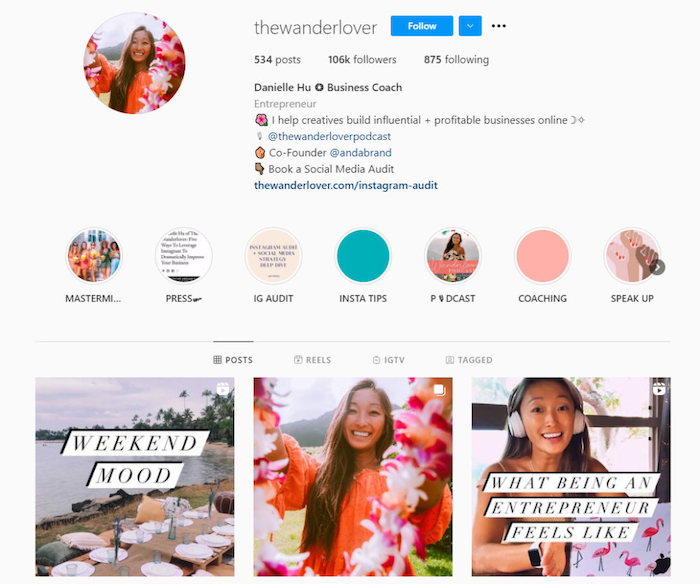
To share your Instagram account safely, start by exploring Instagram’s native tools, including Meta Business Suite for team roles and direct login options for trusted users.
Business Accounts and Team Access (Meta Business Suite)
Go to Settings → Account → Switch to Professional Account, then choose Business. A business account unlocks insights, ads, and better control through Meta Business Suite - Meta’s hub for managing Facebook and Instagram assets.
Within business.facebook.com, navigate to Settings → People → Add. Enter the person’s email, select access level (e.g., full control or partial), and confirm via invitation. This allows multiple users to manage the same Instagram account securely.
Meta Business Suite lets you assign roles:
-
Admin – full control, including ad management and access removal.
-
Editor – create and manage posts, but no access to billing.
-
Analyst – view insights only.
Direct Login (with caution)
Direct login can be used when sharing with a highly trusted individual - like a short-term campaign partner or personal assistant - and when no other tools are available. Direct password sharing exposes sensitive data and can lead to unauthorized actions. Even well-intentioned users might accidentally trigger security alerts or violate Instagram’s terms.
If you must share a login, the password must be unique, long, and not reused elsewhere. Pancake suggests you use a combination of letters, numbers, and symbols, and never send passwords through unsecured messages or emails.
Secure Methods for Sharing Credentials
You can safeguard your Instagram account and simplify shared access by relying on password management tools and multi-factor authentication strategies.
Password Managers
Password managers store and encrypt credentials, allowing you to share logins without revealing the actual password. They offer controlled access that can be revoked anytime. In tools like LastPass or 1Password, select the account and click “Share.” Recipients can log in directly through their own vaults without seeing the password itself.
Top-rated password managers for team sharing include LastPass Teams, Password Business, and Dashlane for Work. Each provides role-based access and strong encryption - ideal for marketing or social media teams managing multiple clients.
One-Time Passcodes and Multi-Factor Authentication (MFA)
MFA adds a layer of protection by requiring a one-time code (sent via text or app) alongside your password. Even if your password leaks, hackers can’t access your account without that code.
If more than one person needs to manage an account, it’s a good idea to designate a single person to receive MFA codes. You can also use authentication apps like Google Authenticator or Authy, which make it easier to share access safely or sync across devices. Make sure the person handling the codes is reliable and easy to reach, especially for business accounts, so you don’t run into access issues during campaigns or emergencies.
Best Practices for Collaborative Instagram Management

When granting others access, adopt secure sharing practices such as encrypted password managers and multi-factor authentication to safeguard your Instagram account.
Clear Communication and Defined Roles
Establish who posts what, when, and how often. Miscommunication can lead to duplicate posts or inconsistent brand tone. Assign responsibilities such as engagement replies, ad setup, or influencer outreach to specific team members. Clarity improves accountability and efficiency.
Content Calendars and Approval Workflows
Managing Content Calendars and Approval Workflows for Instagram Business Accounts becomes easier and more efficient with Meta Business Suite. Businesses can plan posts in advance, assign roles, and streamline approvals to keep every piece of content on-brand. With built-in scheduling tools, you can create, preview, and publish Instagram posts and Reels directly from Meta Business Suite—helping teams stay organized, maintain consistency, and optimize posting times for better performance. This centralized workflow not only reduces manual effort but also improves collaboration across marketing teams.
Monitoring Activity and Analytics
Go to Settings → Security → Login Activity to view active sessions and detect suspicious access. If something looks off, immediately log out of all devices. Analyze post reach, engagement, and follower growth. Share analytics with collaborators to refine strategy and ensure content aligns with goals.
Revoking Access When No Longer Needed
Once collaboration ends, revoke access from Meta Business Suite and password managers. Unused access points increase your risk. Always change your Instagram password after removing collaborators to prevent potential misuse or data exposure.
Tools and Strategies for Enhanced Collaboration (Beyond Native)

For smoother teamwork and safer access management, it’s best to combine specialized tools, communication platforms, and cloud storage solutions that support collaborative Instagram management.
Third‑Party Social Media Management Tools
Platforms such as Hootsuite, Buffer, and Sprout Social let teams schedule posts, manage comments, and analyze engagement, all without sharing Instagram credentials. Because they centralize approvals and streamline workflows, they not only improve efficiency but also minimize risks by keeping credentials hidden from team members, which ensures both safety and accountability.
Communication Platforms
You can integrate your content discussions into project‑management platforms, and by using Slack channels, Trello boards, or Asana tasks, you facilitate efficient coordination of campaigns while maintaining clear responsibilities. For customer interactions, Botcake helps you automate replies, manage messages, and even handle AI responses 24/7, so your team stays aligned while your customers are always taken care of. This approach helps align content, design, and marketing teams so that everyone stays on the same page and understands their roles throughout the project.
Cloud Storage for Assets
Platforms like Google Drive, Dropbox, or OneDrive make it easy to store and share your visuals safely. You can choose who gets “view only” or “edit” access, so you stay in control of your brand assets. This way, your sensitive media stays protected, and only the right people can make updates or view certain files. Thus, everything is kept organized and secure.
Common Scenarios and Solutions
Different collaboration setups call for different sharing strategies. The following scenarios highlight the safest and most effective ways to manage Instagram access across various partnerships.
Sharing with a Social Media Manager or Agency
When working with a social media manager or agency, it’s best to use Meta Business Suite or a trusted third-party management platform instead of sharing your password directly. This way, you can keep your data private, maintain professional boundaries, and make sure everyone on the team is accountable for their actions.
Sharing with a Family Member or Personal Assistant
If you need to give access to a family member or personal assistant, consider using a secure password manager or providing temporary access only when necessary. Make sure to clearly explain what they are allowed to do and what they should avoid, such as changing account settings or performing tasks outside their responsibilities.
Temporary Access for Specific Campaigns
For short-term campaigns, share your login credentials only through secure platforms and revoke access as soon as the project ends. This approach helps you stay in control, prevents unauthorized use, and reduces the risk of leftover access after the campaign is over.
Security Reminders and Troubleshooting
Even with the best precautions, security risks can arise. Here’s how to identify threats, handle compromised accounts, and find reliable support from Instagram.
Recognizing Phishing Attempts and Scams
Be alert when you receive unexpected messages claiming to be from “Instagram Support,” especially those that ask for your credentials. Always verify the URLs carefully and avoid clicking on unknown links or downloading attachments, because they might lead to fraud or unauthorized access.
What to Do If Your Account Is Compromised
If you believe your account has been compromised, go directly to the Instagram Help Center → Hacked Accounts, then reset your password, enable multi‑factor authentication (MFA), and remove any unauthorized devices from your login activity. After that, report all suspicious access promptly and monitor your account continuously for unusual behaviour.
Instagram Support Resources
Visit help.instagram.com for verified recovery steps and up‑to‑date security guidance. Bookmark these official resources now so that you can refer back to them quickly during an emergency or if you detect signs of a breach.
Conclusion
Secure collaboration starts with understanding how to share an Instagram account with someone responsibly. Use Meta Business Suite, password managers, and team tools to maintain control, security, and consistency. The future of social media collaboration lies in automation and intelligent management - platforms like Botcake.io make it easier than ever to share safely while scaling your brand’s presence.
Related blogs

Chatbot AI Messenger: Cách hoạt động, ứng dụng và triển khai
How to Set Up Meta Business AI on Messenger
Top E-commerce Use Cases of Meta Business AI

Discover how your business can connect with customers 24/7 with Botcake
- Automate your customer messaging flow
- React thousands with bulk marketing message campaigns
- Blend AI power seamlessly with your customer service