
Business Chat on Instagram: What It Is and How It Works
 Mauricio Cuevas
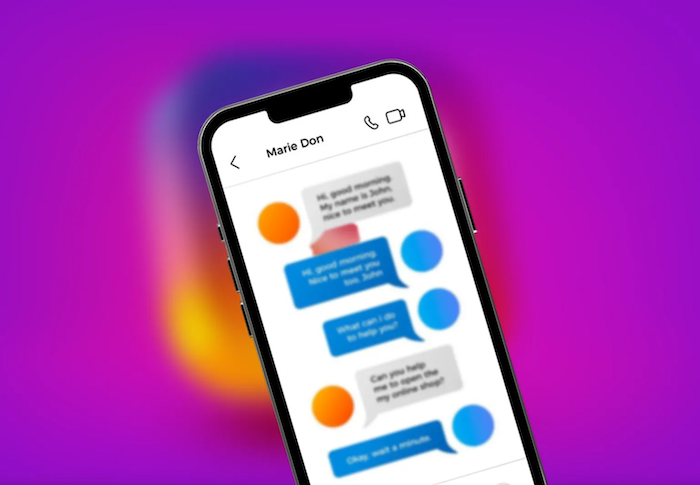
Instagram is a vital tool for selling today. It acts as both a shop and a help desk in one app. You likely saw the term "Business Chat" in your settings. This is more than just text messaging. It is a set of tools made to help brands talk to customers.
Introduction
The app has changed a lot in ten years. It began as a place to post simple photos. Now, it is a busy marketplace where people buy and sell every minute. You need to learn these changes to keep up.
Instagram has evolved from a simple photo-sharing platform into a full-fledged commerce channel, enabling brands to generate revenue directly from visual content through features like Shopping. At the same time, Direct Messages have become a key touchpoint, allowing customers to communicate privately with brands, ask questions, and make purchase decisions without leaving the app. This combination of visual content, commerce, and personalized interaction has turned Instagram into a true business hub.
Instagram Direct Message is not a new app you download. It is an upgrade for Business accounts. It replaces the basic inbox you use on a personal profile. This version has folders, auto-replies, and filters. It turns a messy list of messages into an organized system. You control who talks to you and how you answer.
Understanding Instagram Business Chat Features

You need the right tools to handle questions. A normal inbox cannot handle hundreds of messages. Professional features fix this by adding structure to your chats.
Accessing Business Chat Features
You must have a Business account to use these tools. Instagram offers Business or Creator options. Most shops should choose Business. You can switch easily in your settings. Go to your account settings. Select "Switch to Business Account." The app guides you to connect a Facebook page. Once done, your inbox changes immediately. You get access to data and special folders.
Key Features for Managing Instagram Conversations
Instagram provides dedicated messaging tools designed specifically for businesses, not personal accounts. Message Requests from non-followers are filtered into a separate inbox, allowing businesses to review and respond without triggering a “seen” status, helping reduce spam and maintain control. In addition, businesses can manage conversation quality through advanced controls such as restricting group message invitations and automatically filtering offensive or unwanted words.
Profile Integration
Your profile works like a business card. Business accounts let you add buttons to your bio. You can add "Email," "Call," or "Directions" buttons. This makes it easy for customers. They do not have to copy your email to another app.
Shops work inside the chat too. If you have a catalog, you can share items in the DM. A customer might ask about a dress. You send a product card that they can tap to buy. It creates a smooth path to a sale.
Why Business Chat is Essential for Your Instagram Strategy
A nice feed brings in followers, but the inbox brings in money. If you ignore chats, you lose sales. You need a plan that puts conversation first.
Enhanced Customer Service
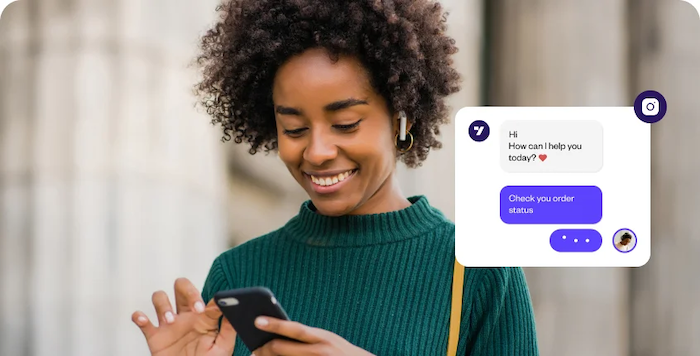
Customers want answers now. They will go to a rival if you are too slow. Business Chat tools help you help them. You can check stock levels fast. You can fix problems privately before they leave a bad review. A quick fix turns an angry person into a fan. The special inbox makes sure you never miss a complaint.
By integrating solutions like Botcake, businesses can automate instant replies, route conversations to the right team, provide real-time product or order information, and ensure no complaint is missed. This speed and efficiency turn potential frustration into positive experiences, helping transform unhappy customers into loyal fans.
Driving Sales and Conversions
Instagram chat plays a critical role in converting interest into purchases by guiding customers step by step through the buying process, from answering initial questions to resolving final concerns. Brands can share product details, prices, sizes, policies, and direct product links within the conversation, making it easy for customers to move from chat to checkout. Beyond closing the sale, these interactions also help collect customer feedback and build long-term loyalty through helpful, personalized support.
Building Stronger Customer Relationships
People buy from people. Direct messages remove the corporate wall. It feels personal. You speak right to the buyer. This builds a bond that ads cannot match. You help with their specific problem. You make them feel special.
This bond builds a community. Loyal buyers come back because they know you will reply. They feel like VIPs when they can message a brand and get a real answer.
Streamlining Communication and Efficiency
A full inbox causes stress. It burns out your team. Business Chat features lower this work. Quick replies save typing time. One person can answer fifty questions in the time it took to answer ten.
Sorting messages stops mistakes. If you have a team, labels show who is doing what. One person handles returns while another handles sales. This clarity stops you from sending two answers to the same person.
Best Practices for Effective Instagram Business Chat

Tools only work if you use them well. You need rules for how your business talks. Being consistent makes you look professional.
Set Clear Expectations
You are not a machine. You cannot work all day and night. Use your bio to state your hours. Let people know when you will reply. If you are away, use the "Away" mode. This calms the customer. They know you are just closed, not ignoring them.
Professional and Personalized Messaging
Respond promptly and professionally by replying within a few hours to show respect and maintain customer trust, while keeping your tone consistent with your brand’s personality—whether formal or casual—and ensuring the whole team follows the same style. At the same time, personalize each interaction by using the customer’s name, reviewing past messages for context, and tailoring responses to their specific needs, as generic, robotic replies can quickly frustrate customers.
Leverage All Available Features
Use the tools you have. Check your Quick Replies often. Are you typing the same thing a lot? Save it. Use Labels every time. An untagged chat is a mess. Try sending product cards in the chat. It looks good and gets clicks.
Integrate with Your Overall Marketing Strategy
Your DMs should work with your ads. Tell people to message you. Post a Story with a "Send Message" button. Run ads that open a chat instead of a website. This starts a talk. It warms up the lead before you sell.
Analyze and Adapt
Check your chats. What do people ask the most? If everyone asks about shipping, put that info in your bio. Look for patterns in complaints. If people are confused by your site, fix the site. Your inbox is full of free data.
Advanced Tips and Future Considerations
As you grow, the basic app might not be enough. You will need to scale up. Technology helps big accounts handle the load.
Integrating with Pancake or Third-Party Tools
Big businesses get thousands of messages. The Instagram app might crash or get too slow. This is where outside tools help. Platforms like Pancake connect your Instagram to a central system. This lets you automate tasks and track customers.
Utilizing Instagram Shopping Features
Shopping will move more into chat. Soon, you might pay for items right inside the message. Get ready by setting up your shop now. Make sure your photos are clear. Get used to tagging products in chats. The gap between "I like this" and "I bought this" is closing.
The Future of Conversational Commerce on Instagram
We are moving toward smart automation. AI bots will handle simple questions soon. They will sound real and helpful. Humans will only step in for hard problems. Chat will replace email for many things. Brands that learn this now will win later.
Conclusion
Business Chat on Instagram is a strong way to connect. It turns a social app into a sales machine. You move from just posting to selling. The features help you organize and value your audience.
Start by switching to a Business account. Set up your Quick Replies. Clean up your inbox. If you get too many messages, look at tools like Botcake. The tools are ready for you. You just need to use them. Your customers are waiting to talk.
Related blogs
How to Set Up Meta Business AI on Messenger
Top E-commerce Use Cases of Meta Business AI
Meta Business AI vs Chatbot

Discover how your business can connect with customers 24/7 with Botcake
- Automate your customer messaging flow
- React thousands with bulk marketing message campaigns
- Blend AI power seamlessly with your customer service